



As a content editor, I spend a lot of time testing AI writing tools to see how they actually perform, as there are many reviews with ambiguous conclusions. I usually focus on academic writing tools because that’s where researchers need the most help and where a lot of AI tools fail to meet expectations when you need something more sophisticated than a simple blog post.
For this HyperWrite AI review, I used the tool’s capabilities to craft a psychology paper that required an academic tone and engagement with core concepts. I wanted to see whether HyperWrite essay writing could impress me or if it would just present standard arguments. Here’s what I found after spending several hours working with the tool on this project.
Why I Gave HyperWrite AI a Try
I decided to test HyperWrite AI after reading about this AI writing assistant that supposedly works well for long-form content. According to the reassuring marketing materials, it can help with everything from emails to research papers, which was a statement vague enough to make me skeptical.
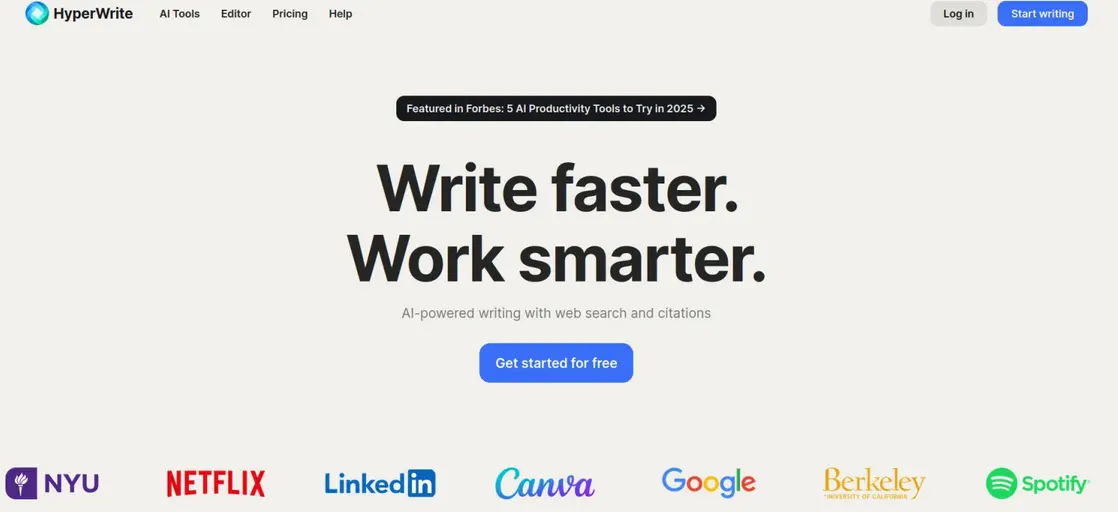
The AI Agent part of the service aside, HyperWrite AI assistant is an online resource that handles a wide variety of content, from academic essays and emails to social media posts. It generates context-aware text using algorithms trained on millions of examples, similar to GPT-4 and ChatGPT. The site claims that, when used as intended, “all suggestions generated by HyperWrite are unique and original”. It recommends using an external plagiarism checker before publishing or submitting the received output, which is always a smart move — it should be the norm for anyone using AI writing tools for writing assistance.
How I tested HyperWrite AI
I used HyperWrite as a personal AI writing assistant over the course of three days, dedicating about six hours total to working with the tool on my psychology essay. The logic behind such an approach was that I wanted to see how it performed across different stages of the writing process and whether it could handle various types of academic tasks.
I tested HyperWrite AI agent on several specific writing tasks that mirror what students actually need help with. First, I used it to generate an outline for my essay on the phenomenon of depression.
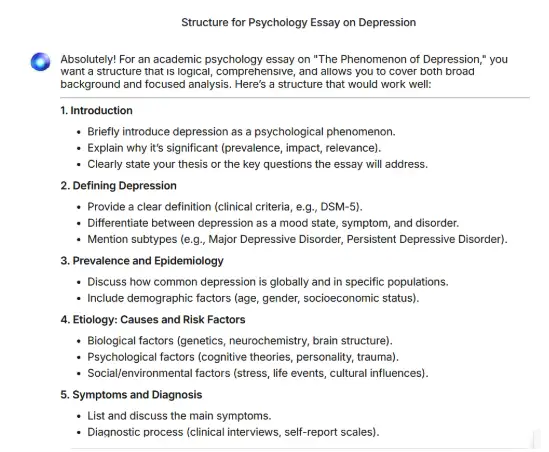
Then I asked it to draft every section according to the generated outline. I also tested its rewriting capabilities by feeding it paragraphs I’d written myself to see if it could improve clarity or writing style. Finally, I tried using it to help me paraphrase source material and integrate citations, which is something students constantly struggle with.
My initial expectations were cautiously optimistic but realistic. I’ve tried enough AI writing tools to know that most of them generate decent surface-level content but fall apart when you need depth, nuance, or proper academic conventions.


I expected the free plan would probably be helpful for brainstorming and getting past writer’s block, but I doubted it could produce academic writing that I wouldn’t need to heavily revise. As we are already talking about the infamous writer’s block, you can also read our ToolBaz review to find out how this platform’s 75 free tools can help you avoid staring at a blank page for hours.
The goal was to determine whether the HyperWrite free version could legitimately speed up my academic writing process or whether it would just create more work through the need for extensive corrections. Speaking of corrections, one of the AI-powered tools I find to be rather helpful is an AI Proofreader, which helps you spot mistakes and correct them without any stress.
My Experience Using HyperWrite AI for Real Writing Tasks
HyperWrite, as a platform, wants to fulfill as many writing needs as possible and doesn’t lack resources to target the niche and the obscure (HumorBot Response Generator, anyone?). The staple AI-powered services on offer — text generation, editing, summarizing, paraphrasing, formatting — are dressed up as hundreds of highly specific task handlers, like, for example, a tool to check tense consistency. Sorting tabs — “Writing”, “Education”, etc. — helps you navigate, though you can HyperChat with the platform and generate content straight away without picking any of the tools.
In terms of sheer speed, I was genuinely impressed by the text generation abilities of the tool. Within seconds, I had a coherent flow of content that included the biological and environmental causes of the disorder. It felt like I was brainstorming with a very fast assistant who never gets tired. There’s no doubt that machine learning technology is the future.
However, as the draft grew, I started to notice what HyperWrite offers in reality. While the essay was grammatically perfect and logically organized, it felt a bit like reading a high-quality textbook summary rather than an original academic piece.
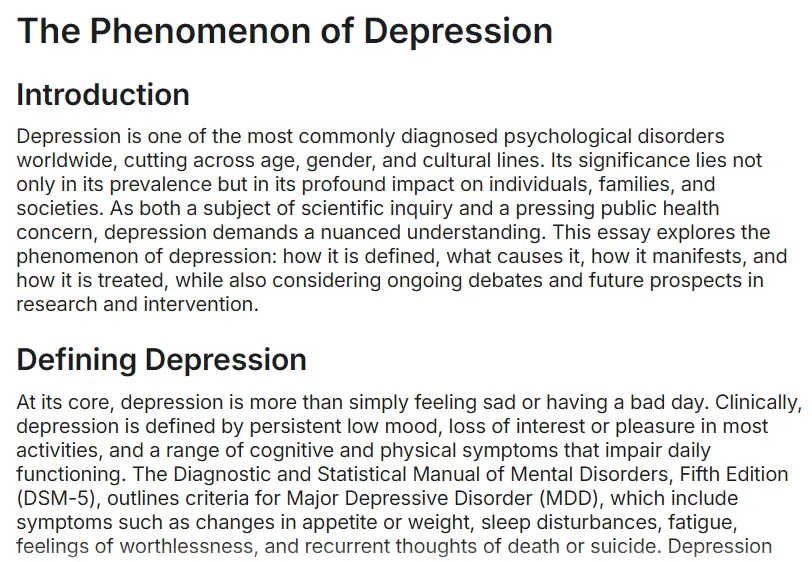
The structure was incredibly predictable: introduction, a few paragraphs on neurotransmitters, a section on therapy, and a standard conclusion. I knew right away that I would need to spot and rewrite content imperfections, which is not exactly the approach to take when trying to work smarter. By the way, if you ever need to reword your text to make it match a required style and tone, you can find so many tools online that can do it for you in the blink of an eye.
When I looked for fresh insights or a unique hook regarding recent neuropsychological debates, the tool stayed in the safe zone. It stuck to well-worn facts that everyone already knows, missing any deeper critical analysis.
As I expected, HyperWrite turned out to be a fantastic blank page killer. It’s a perfect AI-powered writing assistant for when you’re stuck and just need a solid foundation to work from and apply the magic of human writing.
What Stood Out While Using HyperWrite AI
Among the AI key features here, you will find:
- Writing suggestions. Tips include synonyms, alternative phrasing, and predictive snippets that fit the sentence you’re building; you can pick between several options.
- Styling assistance. This is useful if you want to keep one coherent tone throughout a piece of text.
Exploring the abilities of HyperWrite felt less like using a separate AI writer website and more like adding a browser extension. Because I mostly work in Google Docs and Gmail, I spent the majority of my time using the Chrome extension rather than their standalone dashboard. Here’s a breakdown of what actually moved the needle for me and where I found myself hitting a wall.
Writing help and AI suggestions
The first thing I need to mention here is the impressive number of custom tools the platform has, as you can find an AI writing assistant for nearly any task. All you need to do is choose a specific tool that can help you overcome the writing difficulties you’re experiencing.
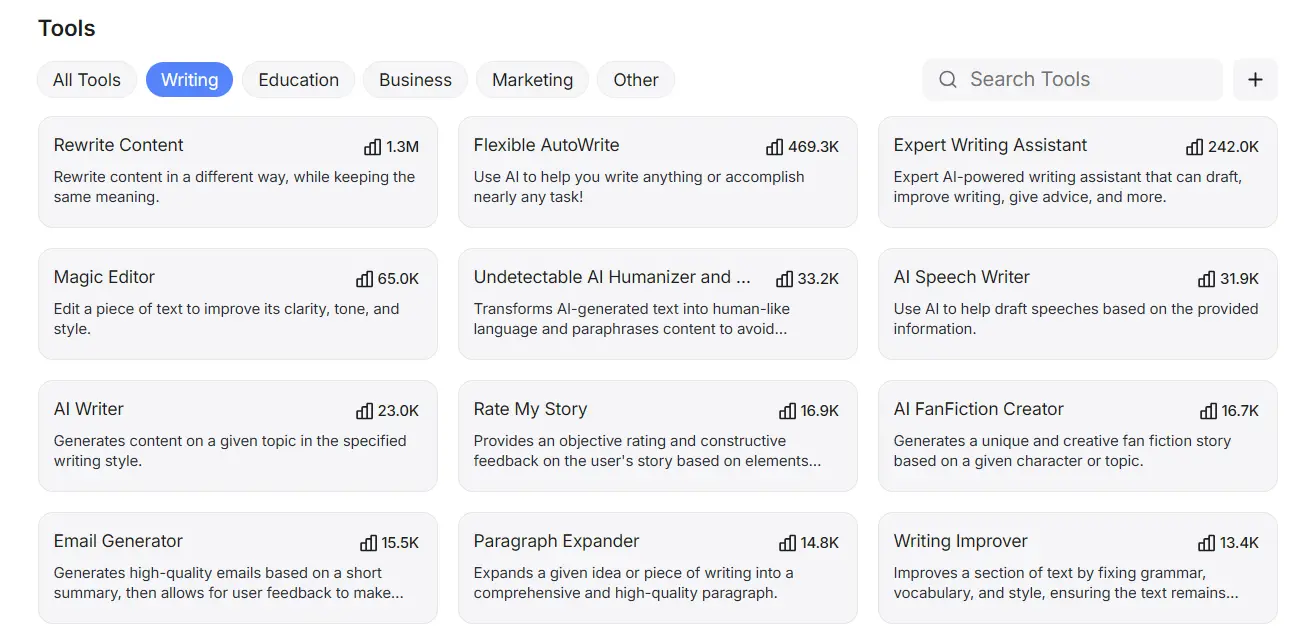
I wasn’t really happy with the section that discussed the biological causes of depression, so I used Flexible AutoWrite to generate a new one. This time, it had a more convincing writing style and included more specific facts than I was initially expecting from this kind of writing assistance.
I also experimented with the Magic Command when I felt stuck on a specific paragraph. I used the command to “Write a transition paragraph between symptoms and treatment,” and it delivered a smooth bridge that would have taken me ten minutes to word correctly on my own. The ‘Rewrite’ tool was equally handy for tone-shifting. I took a confusing academic sentence and used the ‘Clearer’ setting to make it much more readable.
Where the tool felt limited
As for the additional HyperWrite AI features you might be interested in, the tool has a predictive TypeAhead function that makes suggestions as you write. Despite the magic of the autocomplete, I found that this feature occasionally struggled to keep up with me. Since I type fast, I sometimes found myself finished with a sentence before the AI could even offer its suggestion. Therefore, I’m not sure you need the unlimited TypeAheads the HyperWrite AI writing assistant offers.
More importantly, the content quality started to loop if I leaned on it too heavily. When I used the AI to generate larger chunks of my piece, it fell into a pattern of using the same transitions at the start of every paragraph. While this was great for getting words on the page, the contextual suggestions often stayed surface level. If I hadn’t intervened, the AI would have happily described the same original content of three well-known facts in four different ways without ever digging into the actual research I needed.
HyperWrite AI’s Pricing — Is It Worth the Cost?
Now, it’s time to get to the part that usually attracts the attention of all the readers — HyperWrite AI pricing. They offer a free tier, but I quickly realized it’s really just a teaser. With only a handful of generations per month, you’ll use up all your credits halfway through a single outline. If you actually want to use this as a daily AI-powered writing assistant, you’re better off looking at their paid plans.
Continuing on with the details of HyperWrite pricing, the system includes paid plans as well. The Premium plan sits at $19.99 a month, which seems to be the industry standard these days. For that price, you get unlimited generations, which was a huge relief when I was deep in the trial-and-error phase of my psychology paper.
Then there’s the Ultra plan at a hefty $44.99 a month. Honestly, when I explored the additional features, it was hard to justify this price. While the AI is slightly smarter in this tier, for standard coursework and essay help, it doesn’t feel that the extra $25 can deliver a proportional boost to your productivity. For writers with an academic focus, Textero might be a more affordable alternative and a better fit functionally, depending on how often you plan to generate drafts.
Pros and Cons of Using HyperWrite AI
This section is essential for all the HyperWrite reviews out there. After spending a significant amount of time integrating HyperWrite AI writer into my blog articles writing routine, I’ve pinpointed exactly where it helps and where it falls flat.
What I Liked
- The seamless integration. I absolutely loved that the HyperWrite extension lives right inside Google Docs and Gmail.
- TypeAhead speed. For the mechanical part of writing, the autocomplete is a game-changer, as it’s incredibly good at predicting the end of a sentence.
- Magic Command versatility. HyperWrite helps with specific structural fixes, such as bridging two paragraphs, and saves time.
What Could Be Better
- Surface-level analysis. The tool is great at describing facts but terrible at generating fresh ideas.
- Predictable vocabulary. Without heavy editing, the writing has a distinctly robotic rhythm that’s easy for other tools to spot.
- Technical lag. It’s often your personal assistant who can’t keep up with your pace, rather than vice-versa.
- Restrictive free tier. The free version offers so few credits that you need to control yourself with regard to revisions and prompts.
Who HyperWrite AI Is Best For
In my experience, this tool is a lifesaver for anyone who suffers from blank page syndrome because the AutoWrite and other custom tools are perfect for generating that initial momentum. This AI writer is also a must-have if you spend your entire day in Google Docs or Gmail, as the seamless browser integration makes it feel like a natural part of your workflow.
When HyperWrite AI Might Not Be the Right Choice
If you are a grad student or researcher working on an original thesis, you’ll likely find the suggestions of this AI-powered writing assistant too shallow. It stays in the safe zone of general facts and lacks the analytical arguments required for an academic environment. Finally, budget-conscious students might find the monthly cost hard to justify for basic essay help.
HyperWrite AI vs Alternatives
When comparing HyperWrite to all the tools I’ve used so far, it sits somewhere in the middle of the pack for academic work. It has more polished writing skills than basic AI assistants like Jasper or Copy.ai, which are great at creating marketing content rather than academic writing assignments. However, it doesn’t quite match the academic-focused capabilities of tools like Grammarly’s advanced features
One alternative worth mentioning is Textero.ai, which I’ve found handles academic research tasks differently. Whereas HyperWrite takes a more general writing assistant approach, Textero focuses specifically on research paper workflows (generating research questions, structuring literature reviews, and organizing citations).
In my opinion, if you’re working on a research-heavy project with lots of sources to manage, Textero’s specialized approach can be more efficient than HyperWrite’s broader toolkit. The choice really depends on whether you want a specialist or a generalist on hand.
Is HyperWrite AI Legit? My Final Verdict
Yes, HyperWrite AI is a legitimate tool that does what it claims. The company is real, the software works as advertised, and you get what you pay for.
Would I use it again? For brainstorming and getting past initial writer’s block, yes. For producing final academic drafts, probably not. The output requires too much revision for complex academic work. The key takeaways are that it performs well for casual writing tasks and quick content creation, but I’d look elsewhere for serious research papers.
FAQ
Is HyperWrite AI free?
HyperWrite AI offers a free plan with capped features. You can access basic writing tools in a limited capacity, but larger text volumes are only available in paid plans — Premium ($19.99/month) and Ultra ($44.99/month).
Is HyperWrite better than ChatGPT?
It depends on your needs. HyperWrite is focused on practical online writing tasks like emails and research-backed content creation. ChatGPT, on the other hand, is more flexible and handles a wider range of tasks. For predictive writing help, HyperWrite is your guy. For conversation and creativity, ChatGPT wins.
Is HyperWrite legit?
Yes, HyperWrite is a legitimate AI-powered writing assistant. It’s widely used by students and professionals to draft content and improve productivity. It’s developed by a known company — OthersideAI — and has received media coverage and user reviews.
Who owns HyperWrite?
HyperWrite is owned and developed by OthersideAI, a U.S.-based company co-founded by Matt Shumer and Jason Kuperberg. It focuses on using AI to support digital communication and productivity tools.
Is HyperWrite plagiarism-free?
HyperWrite generates unique text, but it’s not strictly plagiarism-free. While it doesn’t copy sources directly, AI detectors can still flag HyperWrite AI story feedback as machine-generated.




 Built-in AI detector